
Sparrow'ı İndir – ücretsiz minimalist Gmail masaüstü istemcisi
Genel Bakış
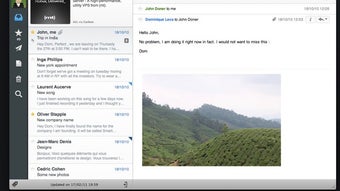
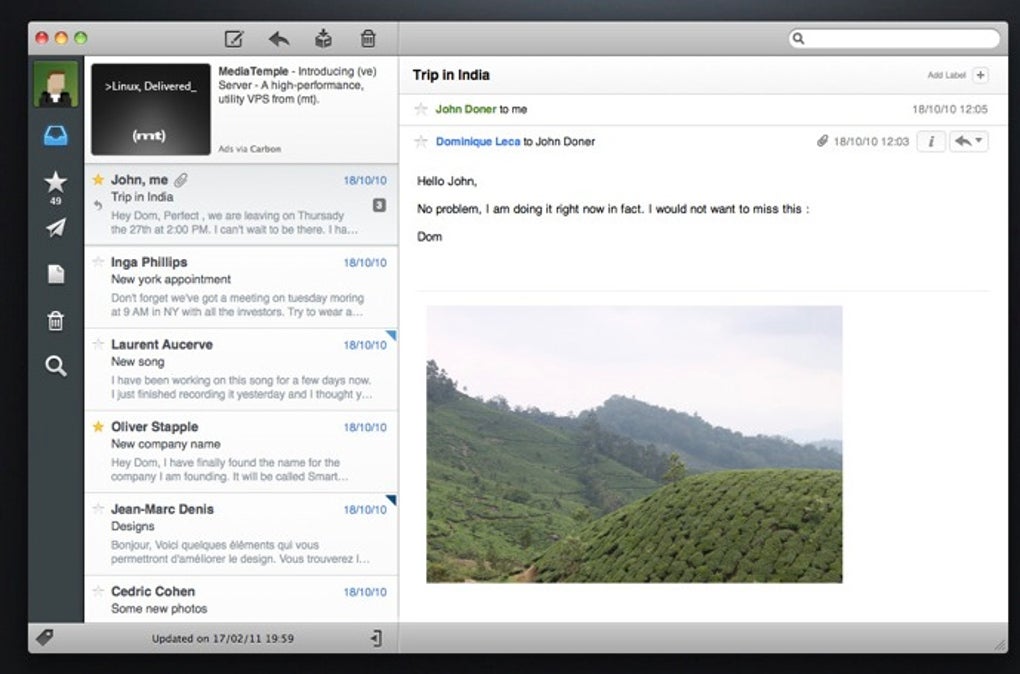
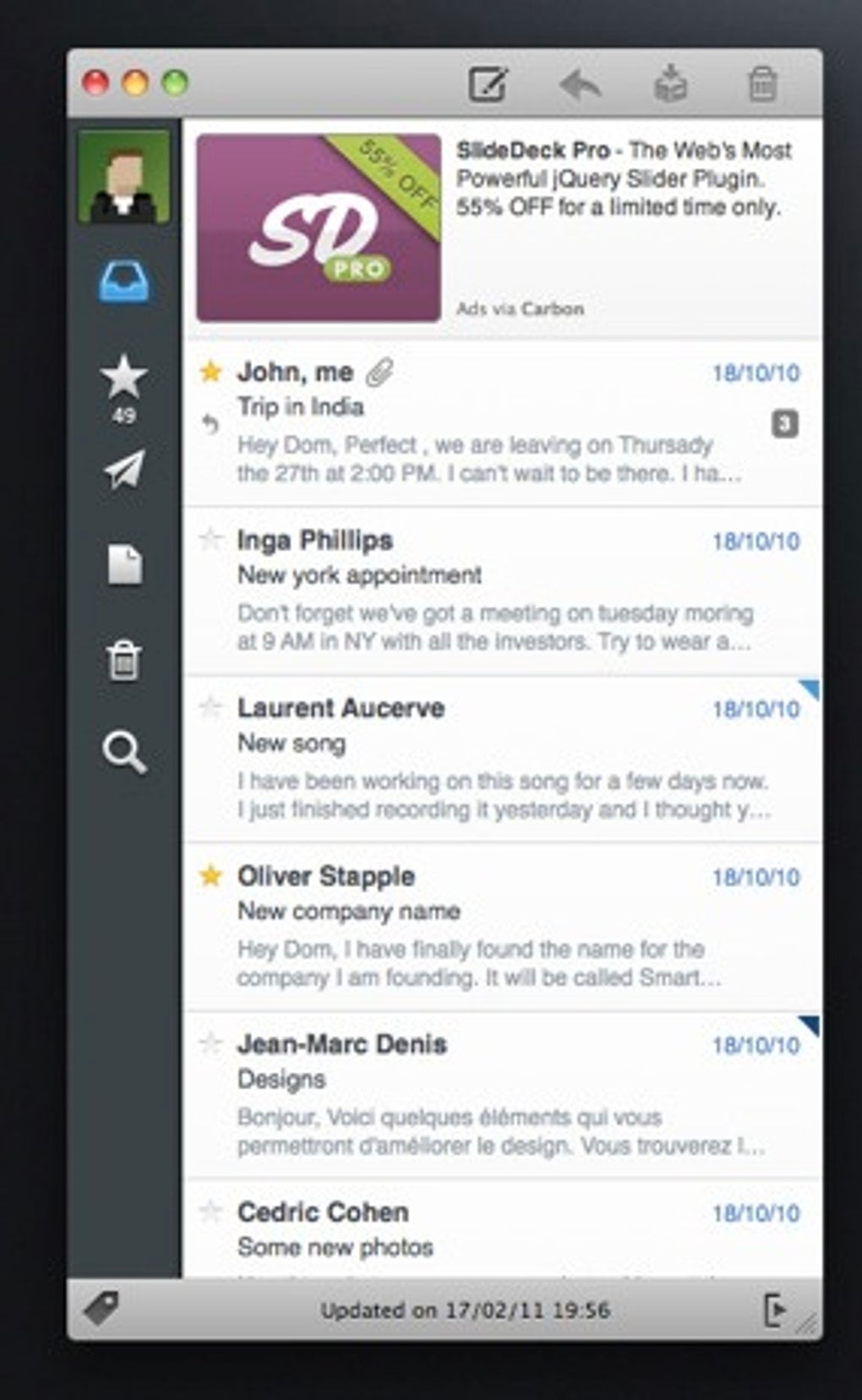
Sparrow, yalnızca Gmail kullanıcıları için tasarlanmış ücretsiz, minimalist bir masaüstü istemcidir; web tarayıcısı açmadan gelen kutunuzu temiz ve dikkat dağıtmayan bir şekilde yönetmenizi sağlar. Eski Tweetie Twitter istemcisinin şık görünümünden ilham alan Sparrow, macOS için yerel bir Cocoa‑stil arayüz sunar; bu arayüz hem tanıdık hem de modern bir his verir. Uygulama, ana pencerede kısa bir önizleme olarak her e‑postayı gösteren kompakt bir mesaj listesi sunar. Bir önizlemeye tıkladığınızda mesaj yerinde genişler, ikincil bir bölme ise tam konuşmayı ayrı bir pencerede açarak daha derin okuma veya yanıtlamaya olanak tanır.
Even though Sparrow Lite—the free version—limits you to a single Gmail account and shows occasional ads, the core experience remains surprisingly powerful. Unread mail counts are displayed in the Mac menu bar, giving you a quick glance at pending messages. Growl (or the built‑in macOS notification system) alerts you instantly when new mail arrives, so you never miss important communications. While the Lite edition lacks advanced Gmail features such as custom filters and signature editing, it still supports basic actions like archiving, labeling, and quick replies.
Because Sparrow runs as a native macOS app, it feels lighter on resources than a full‑blown web browser, yet users have reported occasional CPU spikes during heavy mail syncs. Overall, if you’re a Gmail power user looking for a sleek alternative to the browser interface, Sparrow offers a compelling blend of simplicity, speed, and visual polish—all at no cost.
Temel Özellikler
- Minimalist Design: A clean, distraction‑free UI modeled after classic Cocoa applications.
- Menu‑Bar Unread Counter: Real‑time badge showing the number of unread messages.
- Growl/macOS Notifications: Instant alerts for new mail without opening the app.
- Threaded View: Messages are displayed in conversation threads for easy context.
- Quick Reply & Archive: One‑click actions to respond or archive without leaving the inbox.
- Search Integration: Fast, client‑side search that filters results as you type.
- Full‑Screen & Split‑View Support: Works seamlessly with macOS multitasking features.
- Secure OAuth Authentication: Connects to Gmail using Google’s secure OAuth 2.0 flow.
- Lightweight Sync Engine: Periodic background syncing to keep your inbox up‑to‑date.
- Ad‑Supported Free Model: Access to all core functionality without paying, with unobtrusive ads.
Kurulum, Kullanım ve Uyumluluk
Adım Adım Kurulum
Getting Sparrow up and running is straightforward. First, visit the official Sparrow website and click the “Download for macOS” button. The installer is a standard .dmg file. Open the .dmg, drag the Sparrow icon into your Applications folder, and launch the app. macOS will prompt you to confirm that you want to open an application downloaded from the internet; click “Open.” The first launch triggers Google’s OAuth authentication screen where you’ll enter your Gmail credentials. Once authorized, Sparrow syncs your mailbox and displays the familiar preview list.
Sparrow'ı Etkili Bir Şekilde Kullanma
After login, the main window shows a list of recent conversations. Each line includes the sender, subject, and a short snippet of the latest message. Clicking a line expands the message inline, allowing you to read the content, view attachments, and reply without leaving the window. For longer threads, click the “Open in New Window” button in the upper‑right corner; this opens a dedicated conversation view where you can scroll through the entire history.
The left sidebar contains Gmail labels that you can click to filter the inbox. Dragging an email onto a label adds it to that category instantly. Quick actions are available via right‑click context menus—archive, mark as read/unread, delete, or move to a different label. Keyboard shortcuts (⌘N for new mail, ⌘R for reply, ⌘U for mark unread) speed up workflow for power users.
Sistem Gereksinimleri ve Uyumluluk
Sparrow is built for macOS 10.13 (High Sierra) and later. It takes advantage of the latest Cocoa APIs, meaning it runs natively on both Intel‑based Macs and Apple Silicon (M1/M2) without Rosetta translation. While there is currently no Windows, Linux, Android, or iOS version, the macOS client delivers a responsive experience across all recent hardware configurations. Minimum requirements include 512 MB of RAM (though 1 GB is recommended) and at least 50 MB of free disk space for the application and local cache.
Because Sparrow relies on Google’s OAuth 2.0, it works with any Gmail account—personal, G Suite, or Google Workspace—provided two‑factor authentication is enabled or an app‑specific password is generated if you use legacy security settings.
Artılar, Eksiler ve Sıkça Sorulan Sorular
Artılar
- Elegant, clutter‑free UI that focuses on reading and replying.
- Free to use with only occasional, non‑intrusive ads.
- Native macOS performance; integrates with menu bar and notifications.
- Quick actions and keyboard shortcuts boost productivity.
- Secure OAuth authentication eliminates the need to store passwords.
Eksiler
- Limited to a single Gmail account in the Lite version.
- Missing advanced Gmail features such as custom filters and signature editing.
- Occasional CPU spikes during large sync operations.
- No Windows, Linux, Android, or iOS client available.
- Ads, while infrequent, can be distracting for some users.
SSS
Birden fazla Gmail hesabı ekleyebilir miyim?
Sparrow Lite'te tek bir Gmail hesabıyla sınırlısınız. Çoklu hesap desteğine ihtiyacınız varsa, tam (ücretli) sürüme yükseltmeniz veya uygulamanın ayrı örneklerini çalıştırmanız gerekir.
Sparrow e‑posta şifrelerimi depoluyor mu?
Hayır. Sparrow, Google’ın OAuth 2.0 kimlik doğrulamasını kullanır; bu da kimlik bilgilerinizin yerel olarak saklanmadığı anlamına gelir. Uygulama yalnızca Google hesabı ayarlarınızdan iptal edilebilen bir erişim belirteci tutar.
Gizli ücretler var mı?
Sparrow Lite tamamen ücretsizdir. Tek gelir kaynağı, arayüz içinde zaman zaman gösterilen reklamlardır. Tam sürüme yükseltmek reklamları kaldırır ve çoklu hesap desteği ekler; tek seferlik bir satın alma ile gerçekleşir.
Sparrow ek dosyaları nasıl yönetir?
Ek dosyalar önizleme bölmesinde tıklanabilir simgeler olarak görünür. Bir ek dosyaya tıkladığınızda, macOS’un o dosya türü için varsayılan uygulamasıyla açılır; ayrıca sağ tıklayarak istediğiniz bir klasöre kaydedebilirsiniz.
Sparrow Apple Silicon Mac'lerle uyumlu mu?
Evet. En yeni sürümler evrensel ikili dosyalar olduğundan, Intel ve Apple Silicon (M1/M2) Mac'lerde performans kaybı olmadan yerel olarak çalışır.
Genel Değerlendirme: Sparrow Lite, macOS kullanıcıları için sadeliği geniş özellik setlerinden daha çok değer veren bir Gmail deneyimi sunar. Tek hesap sınırlaması ve zaman zaman görülen reklamlar mükemmel bir çözüm olmasını engellese de, yerel performansı, temiz UI'si ve ücretsiz fiyatı, herhangi bir Gmail güç kullanıcısının araç kutusuna değerli bir ek yapar.
Sonuç ve Eylem Çağrısı
When it comes to desktop email clients, many options sacrifice speed for features or charge hefty subscription fees for basic functionality. Sparrow takes a different route: it offers a sleek, ad‑supported, free client that feels right at home on macOS, complete with menu‑bar notifications, Growl alerts, and a minimalist design that keeps you focused on the conversation at hand.
If you’re a Gmail user who spends most of your day on a Mac and you’re tired of juggling multiple browser tabs, give Sparrow Lite a try. The installation process is a breeze, the UI is intuitive, and the core mail actions are lightning‑fast. Should you eventually need multi‑account support or want to remove ads, the upgrade path is clear and reasonably priced.
Gmail iş akışınızı sadeleştirmeye hazır mısınız? Aşağıdaki indirme düğmesine tıklayın, Sparrow'ı kurun ve daha temiz bir gelen kutusunun keyfini çıkarın. Bir sonraki e‑postanız sadece bir tık uzakta—web tarayıcısının karmaşası olmadan.







